Butterfly Software
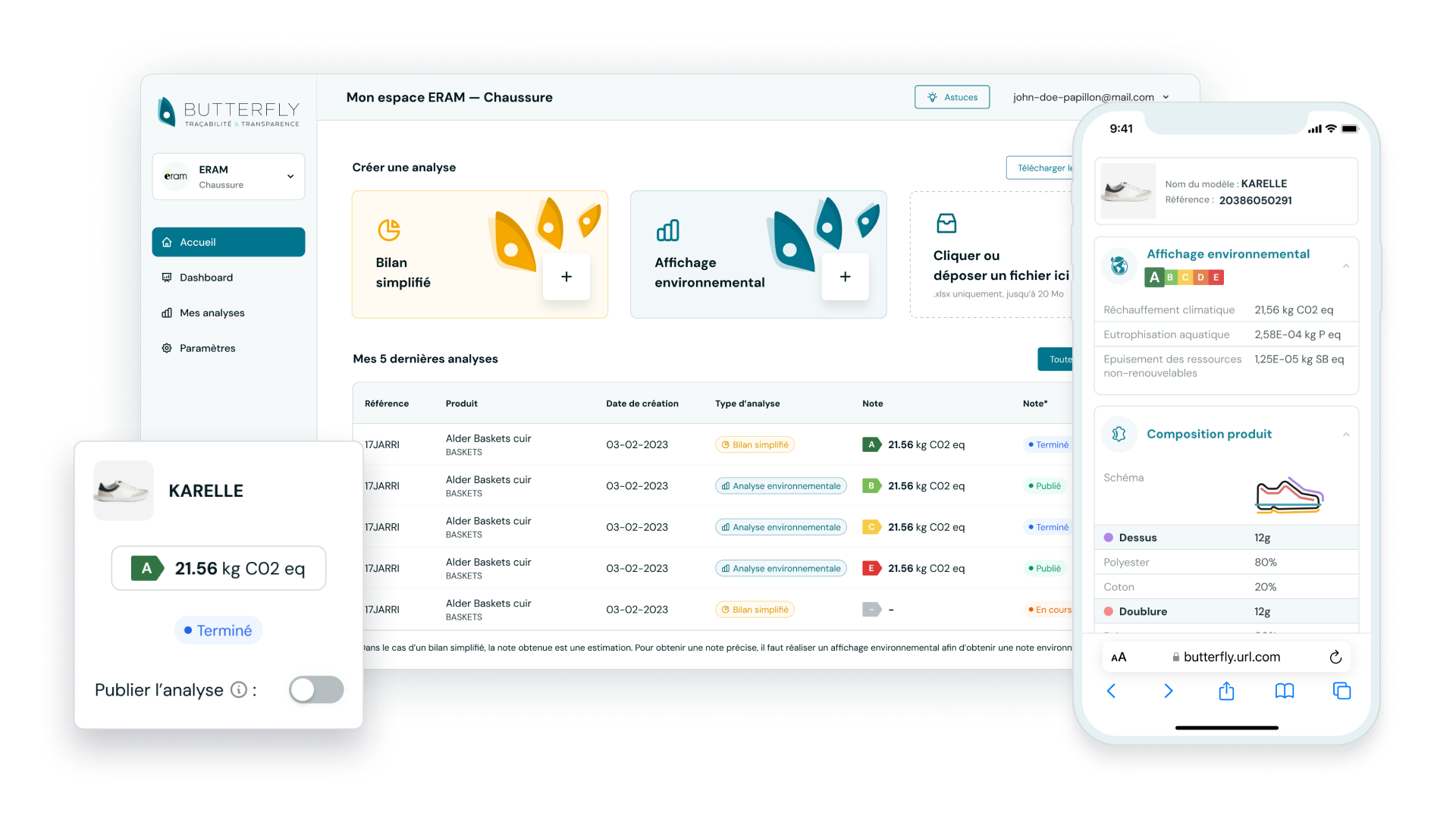
Presentation of the Butterfly software features I worked on in 2023. This work follows the development of a first POC in 2022 for Oksigen company, funded by the ERAM Group, which consists of having an input form to perform a calculation and obtain an ecological impact result for a textile or footwear product.
Client
Oksigen
Product
Software
Duration
6 months
Year
2023
Project Context 🎯
Following the production delivery of the Butterfly POC in 2022, new features are enriching the solution to obtain a more robust MVP for the ERAM group in the long term and for the software to become a business tool and thus attract new clients.
Software Overview
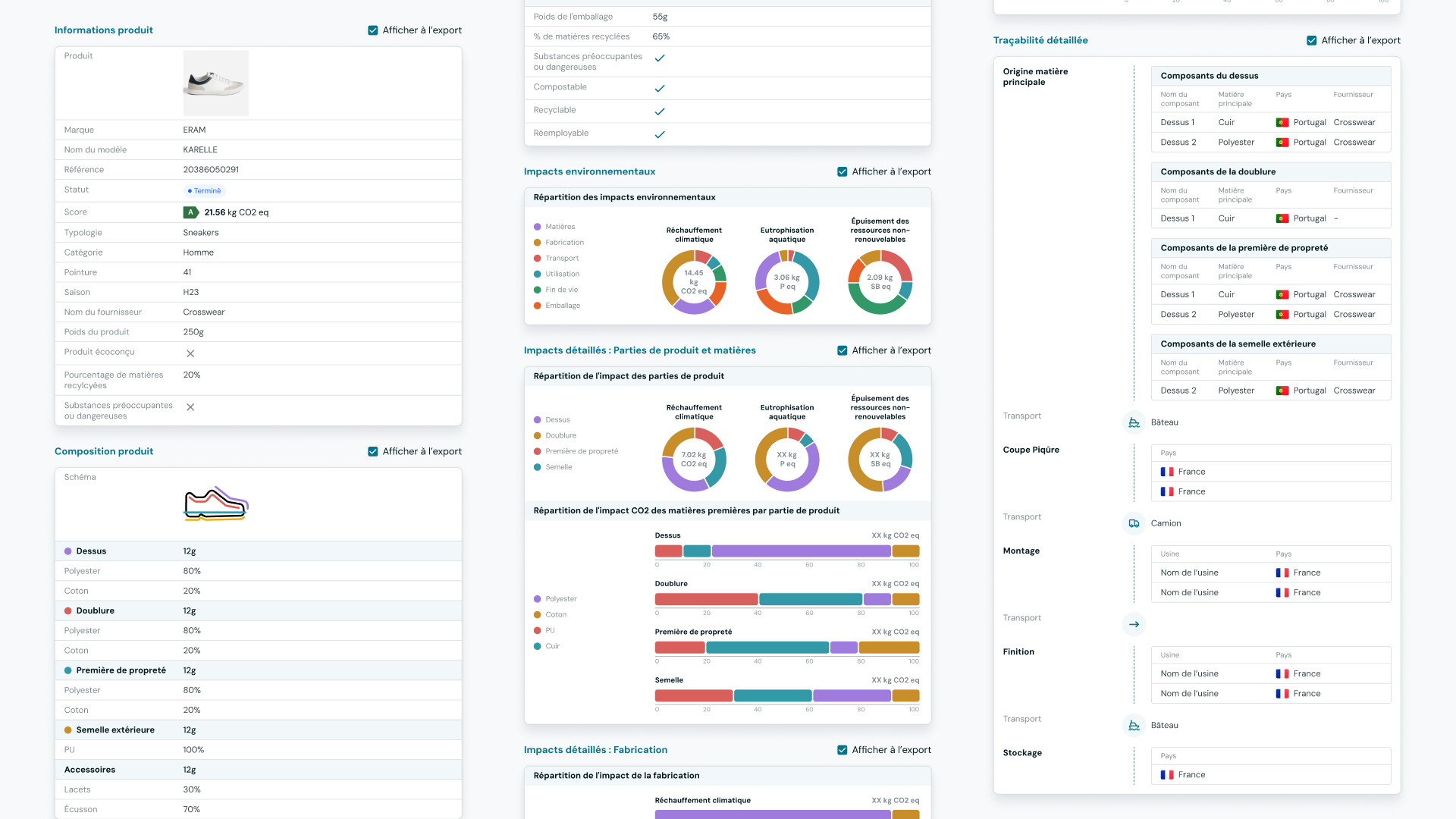
Butterfly Software is an environmental impact calculator for textiles and footwear. Originally in the form of a very complex Excel spreadsheet, Oksigen discussed with us their wish to digitize their Low Carbon business process in 2022. The goal is to obtain a complete analysis of a product (footwear or textile) by adding data about the product's manufacturing, origin, materials used, quantity, transportation, and many others. This analysis can also be in the form of a "simplified assessment" to quickly get an idea of a product's score and thus be able to make decisions about manufacturing methods, material choices, or transportation means that may impact the final score.
Features
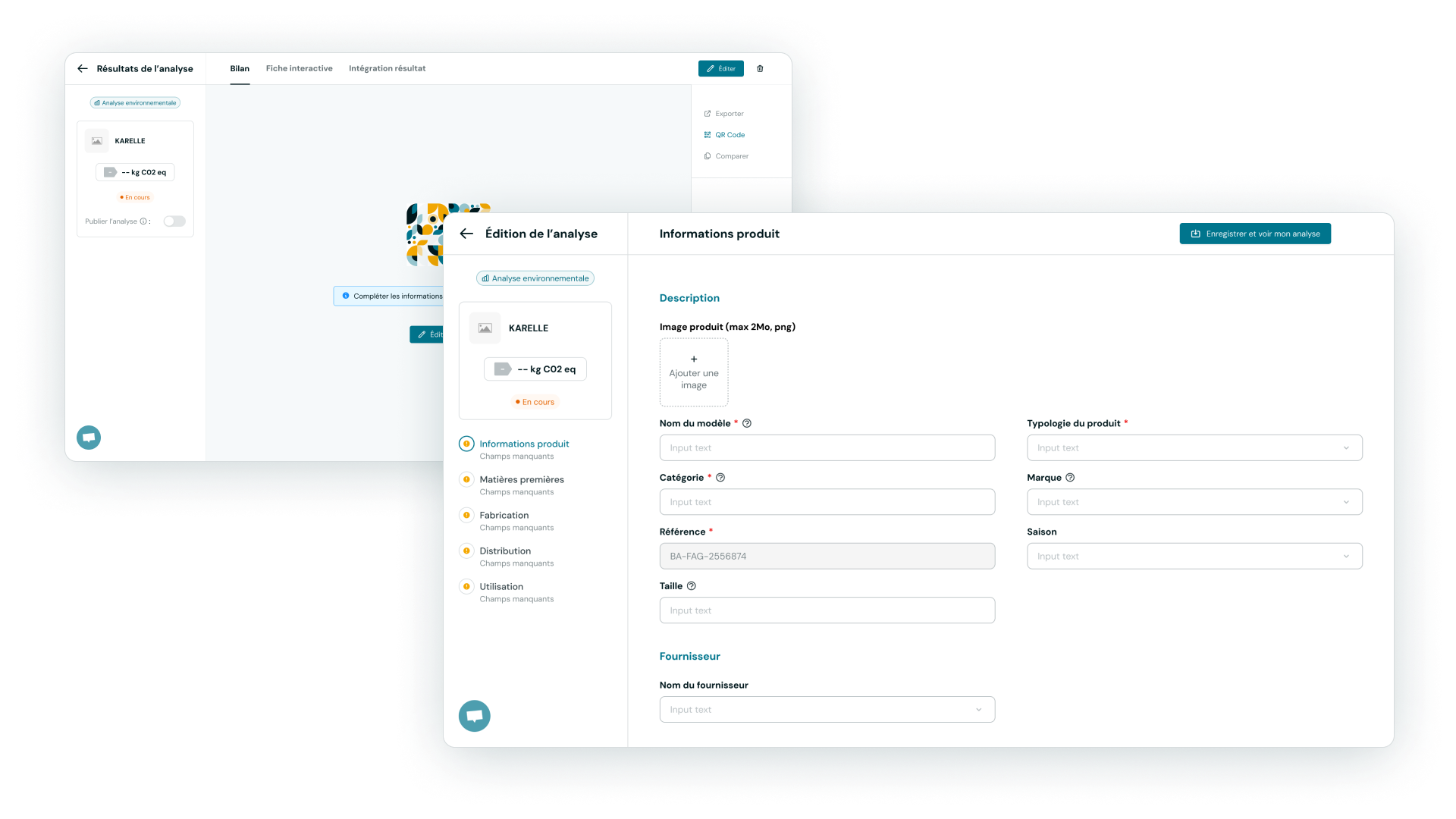
After 2 months of scoping and co-design workshops with the client, we were able to establish a list of features that will be worked on for the 2023 MVP. Some updates compared to the POC:
- Analysis creation form
- Analysis result and its status
- Analysis listing table and filtering
Others are new:
- An Onboarding
- Workspace settings
- A comparison module
Analysis Result
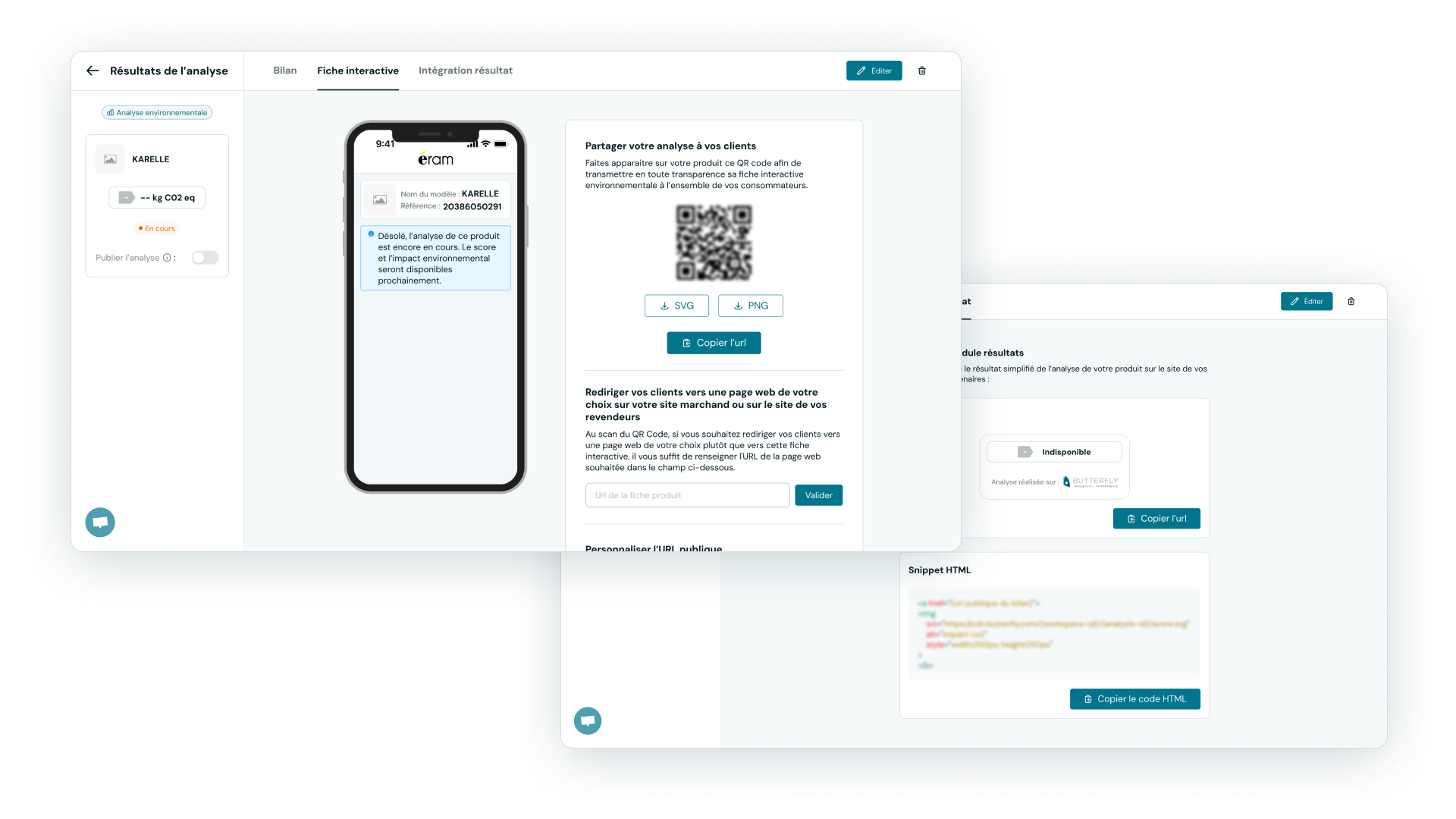
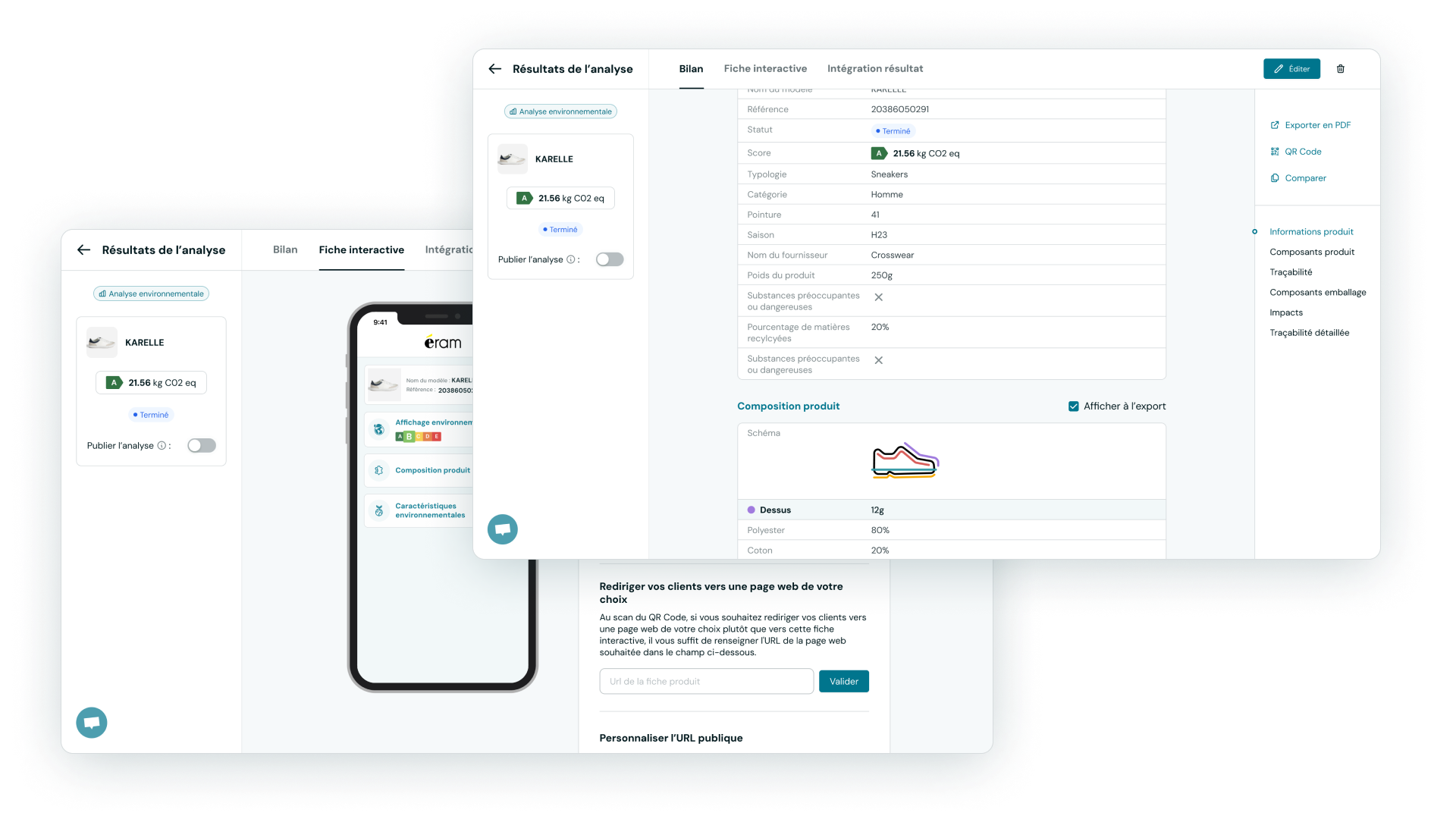
Update of analysis status visualization (in progress, completed, published), update of result display and creation of Interactive Card tabs and a result integration module.
Comparator
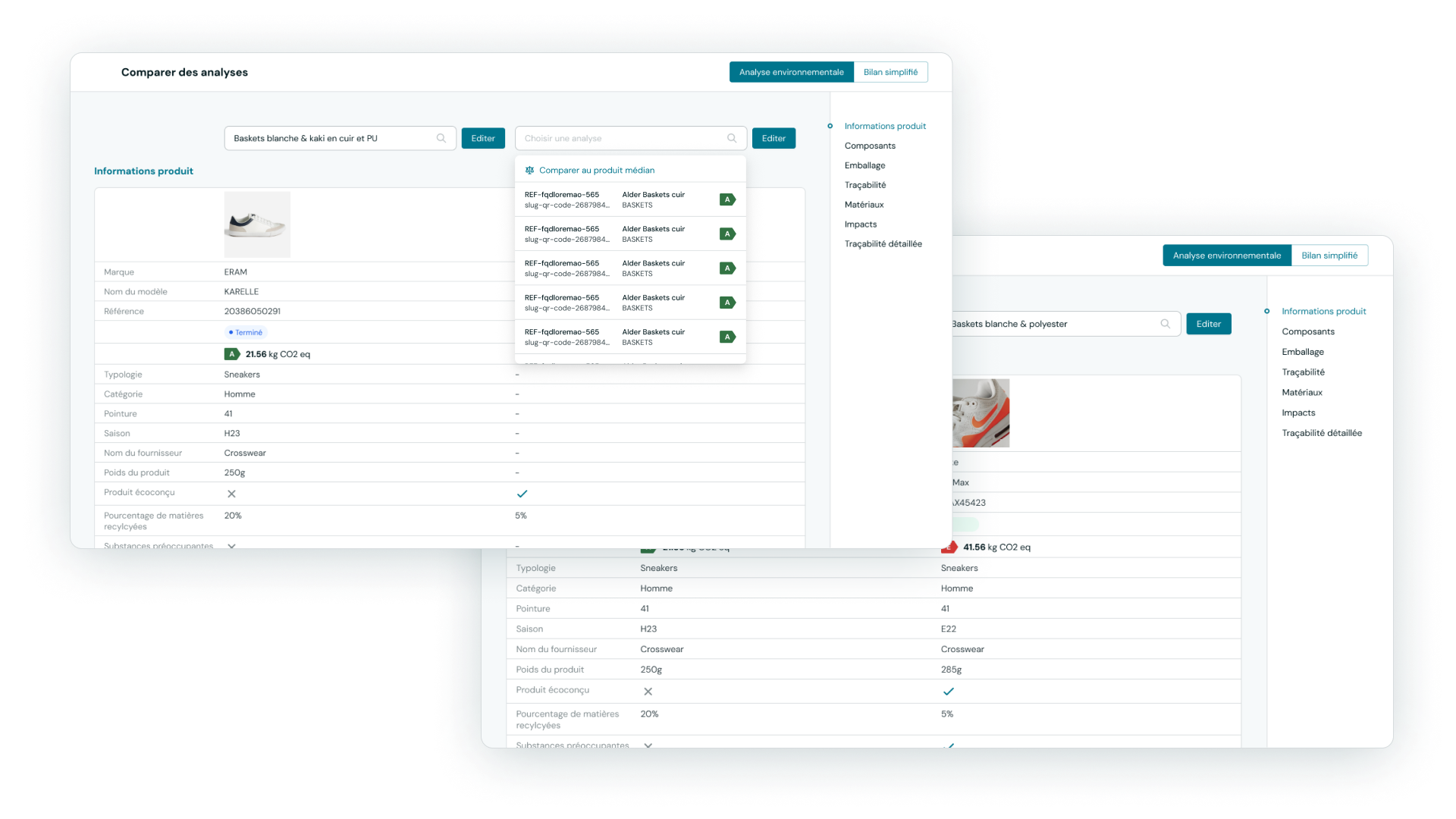
Implementation of an analysis comparator allowing comparison of results from completed analyses of the same type. The comparison displays the two selected analyses and all their data from the result card.
Analysis Listing
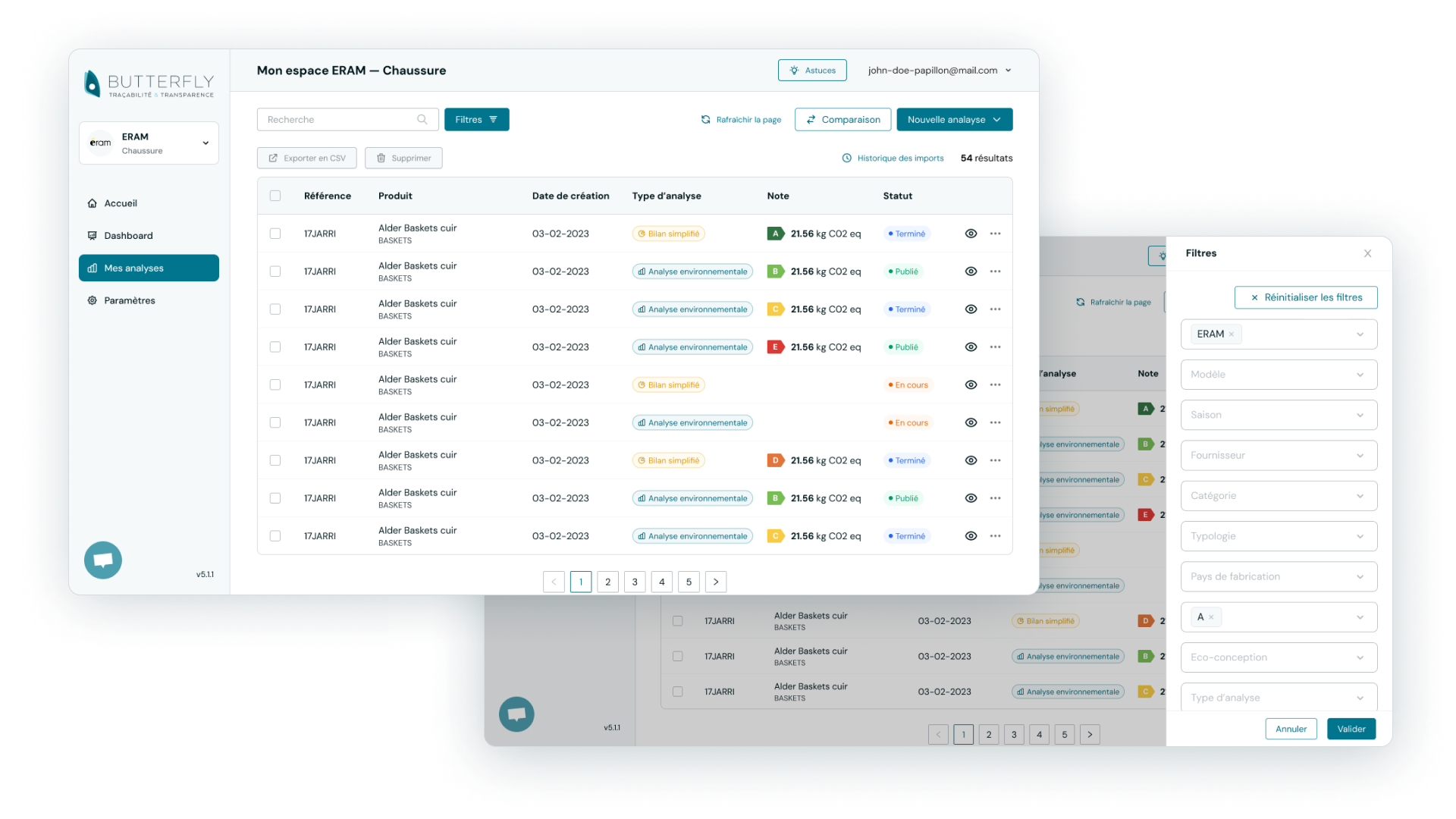
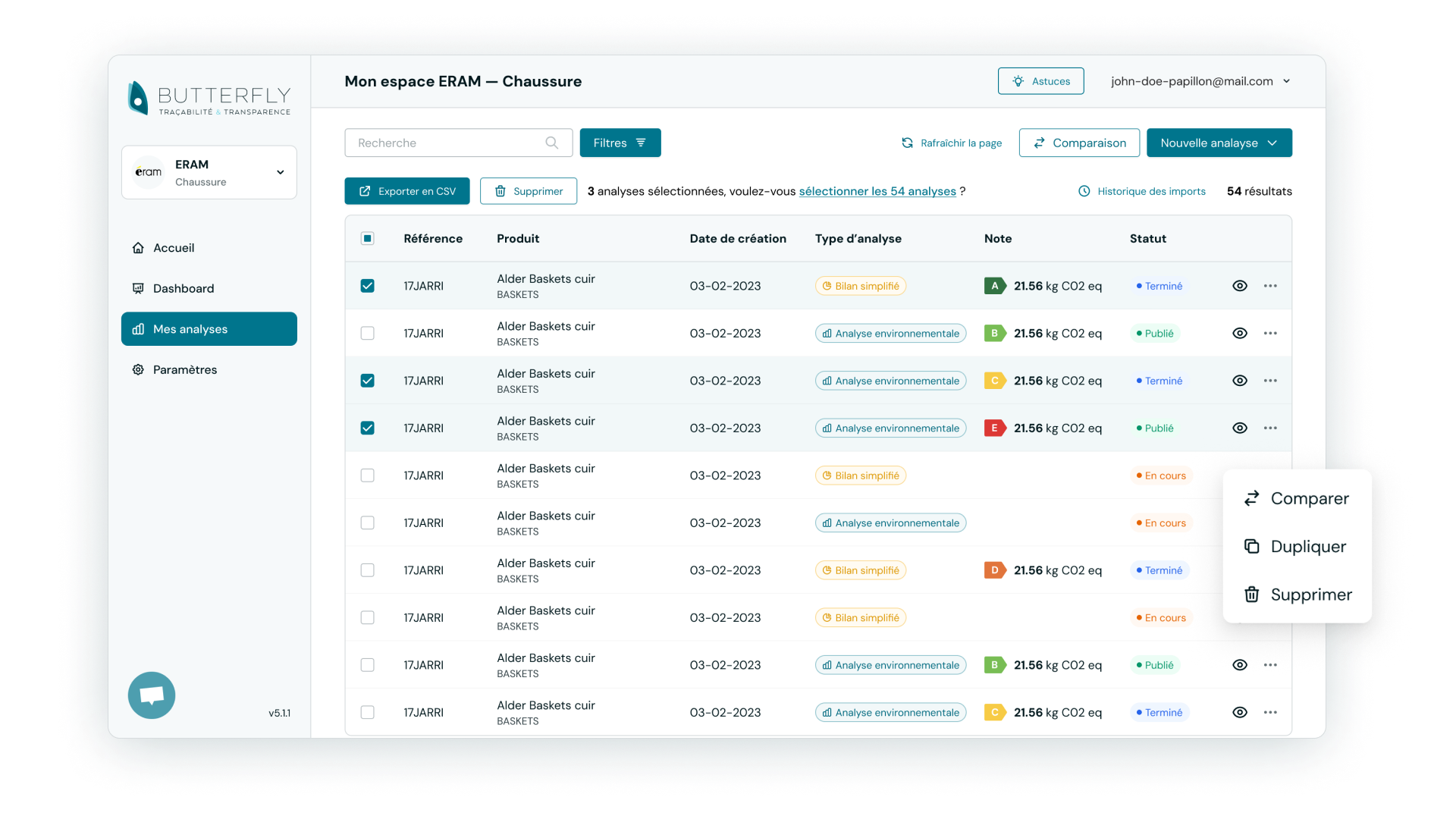
Improvement of analysis listing, filtering and addition of features:
- New filtering panel as a sidePanel to meet the need for adding new filters.
- Ability to multi-select analyses
- New actions on selected analyses: Export, Comparison, Duplication and Deletion.
Analysis Import
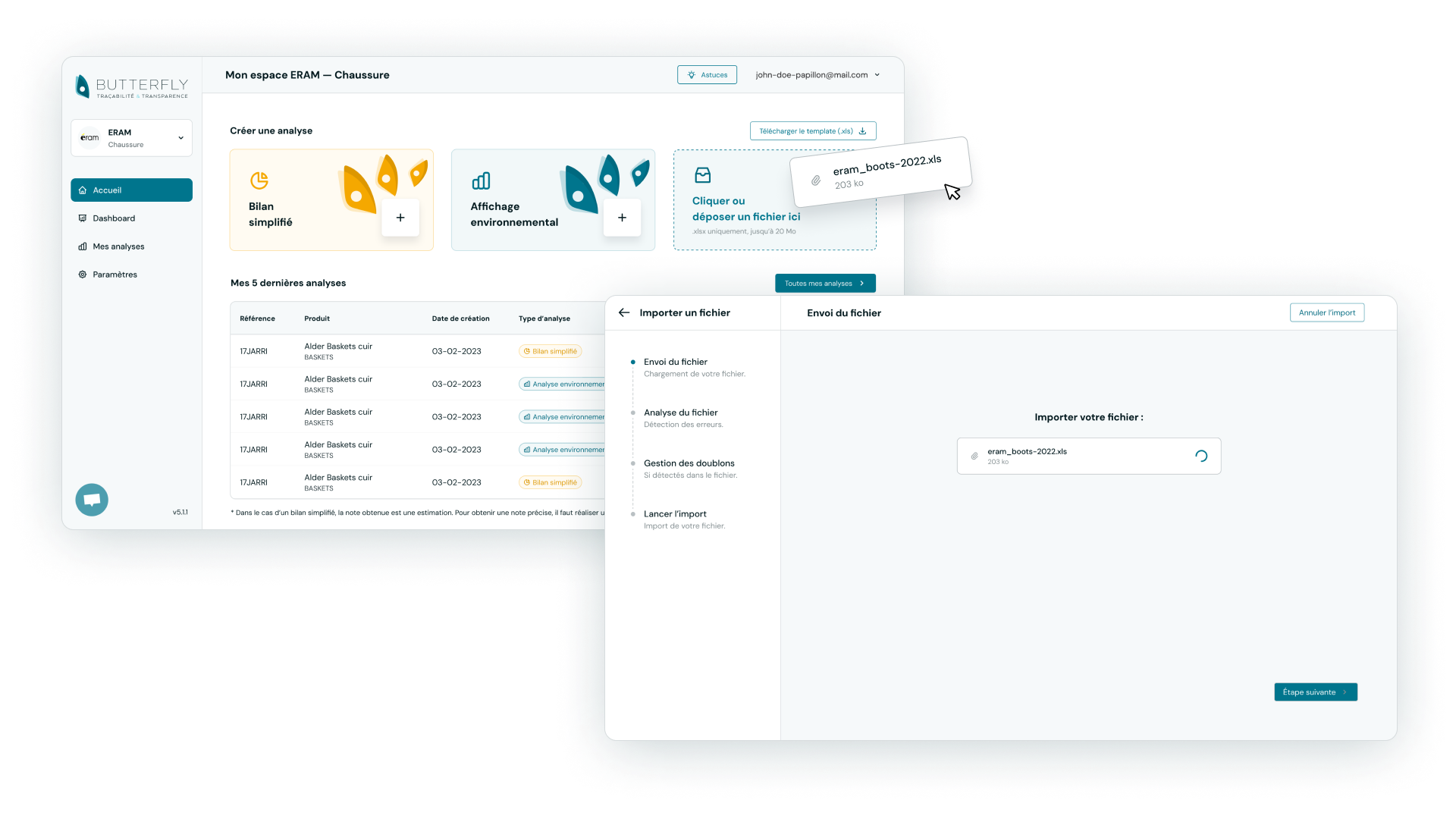
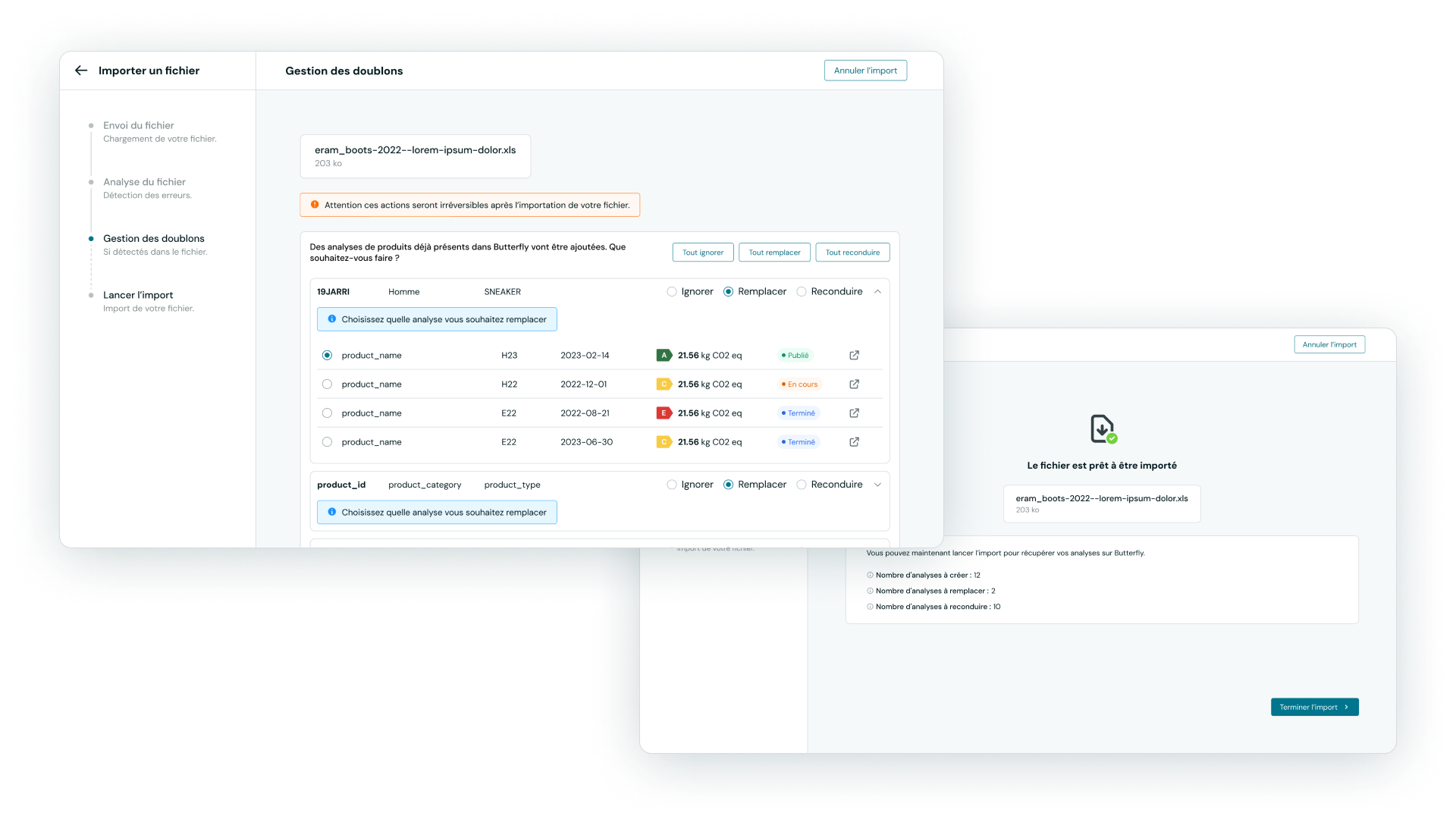
Addition of a mass analysis import module following the implementation of a .xls format template that can create a large number of analyses. The import is done in several steps:
- Adding the
.xlsfile - File analysis, detection of analyses and errors in the file.
- If imported analyses already exist in the workspace, a management module allows choosing how the duplicate analysis will be handled.
- Final summary step before launching the import.
Dashboard
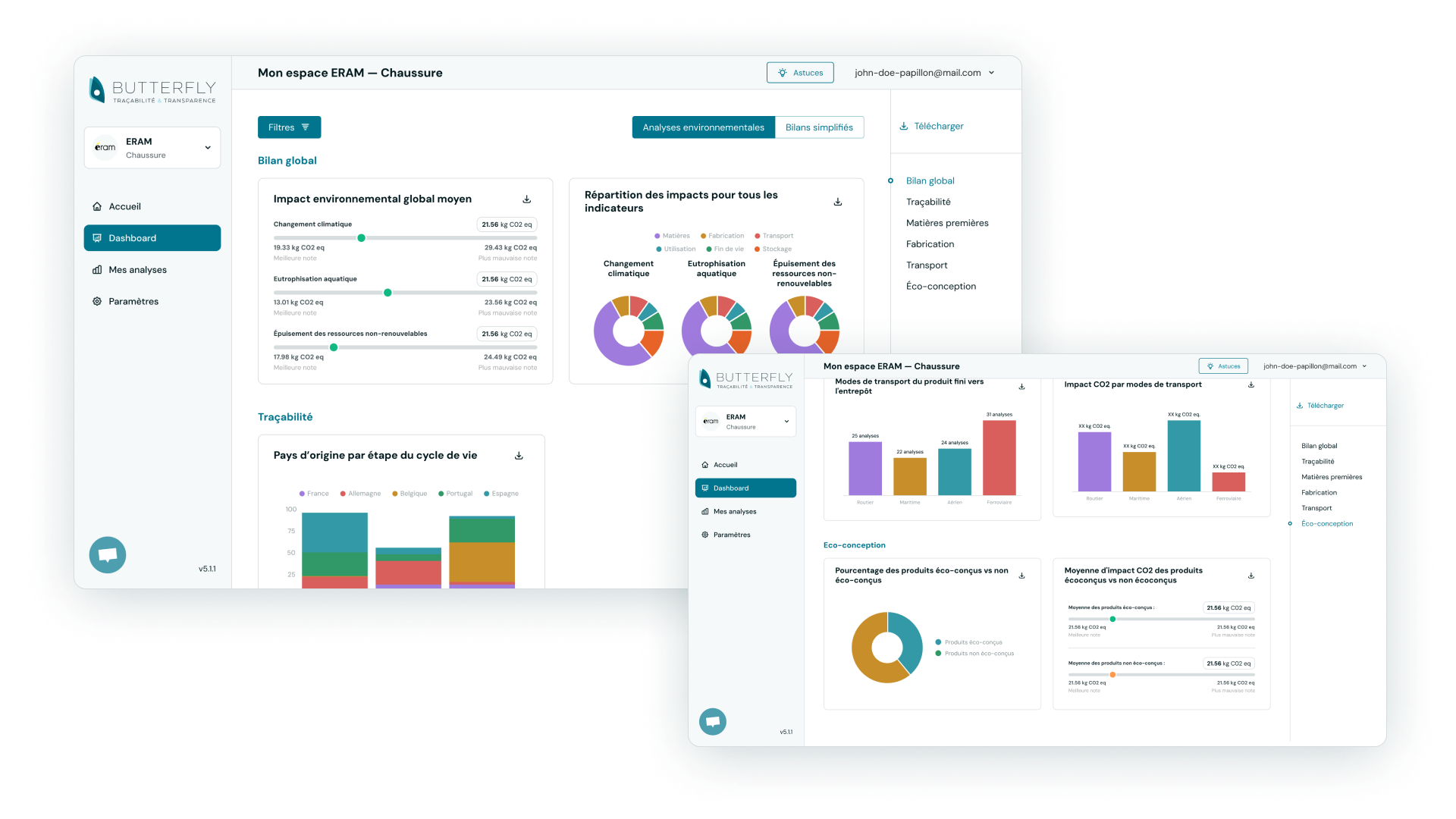
Addition of a Dashboard tab to find a dozen summary data points from published analyses in a workspace, whether in Simplified Assessment or Environmental Analysis format
Want to work together?
Feel free to reach out to discuss a project, collaboration, or just to say hello 👋